so let’s meet on Tuesday actually Wednesday at ten
NamluvTo by TrioDev
Dictation for Mac.
Hold ⌥ and Space, speak, then release. NamluvTo inserts the transcript where you’re typing.
Free app · Bring your API key · macOS 26+

 by TrioDev
Dictation00:04
Dictation demo.
Play a short example to see the transcript.
Scripted demo. Your microphone stays off.
DEMO PLAYER00 / 04
Ready
Press play when you’re ready.
Dictate in your apps.
Reply to an email, capture an idea or dictate a code comment. Pick an app to explore an example.
⌥+Space
GmailEmail
Hi, confirming our meeting for Thursday at ten. I’ll send an invite.
Example of inserted textBefore and after editing.
Compare the raw transcript with the edited text.
Let’s meet on Wednesday at ten.
Choose your AI provider.
Choose OpenAI, Gemini, Deepgram or Groq for speech transcription. For an edited draft, enable text editing with OpenAI or Gemini. Each step has its own model.
Compare providers- OpenAI
- Gemini
- Deepgram
- Groq
Where your data goes.
History on your Mac
When history is enabled, transcripts are saved locally. You can switch history off.
Key in Keychain
Your API key is kept in the system Keychain, separate from transcript files.
Direct to the provider
Audio for transcription and text for editing go directly to the providers selected for each step.
Inside NamluvTo.
APP SCREENSHOT
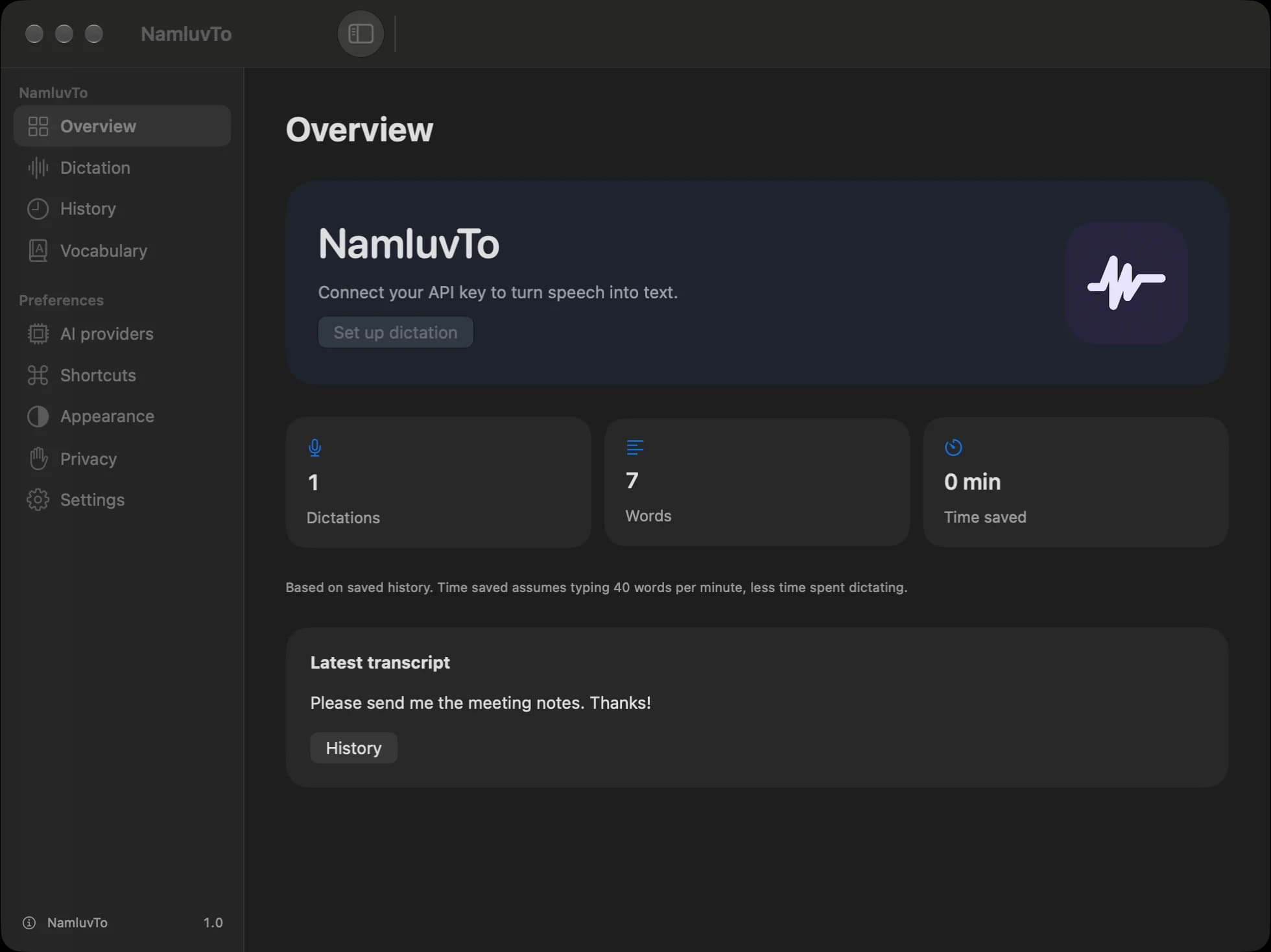
01 / 08Overview
Dictation and your latest transcript in one place.
Common questions.
Do I need a ChatGPT subscription?
No. Bring an API key for your chosen provider. API usage is billed to your own provider account.
Does dictation work offline?
Cloud transcription and editing need an internet connection. You can browse your saved local history offline.
What if the app cannot insert text?
Allow microphone access for recording and Accessibility for automatic insertion. If insertion fails, paste the text from the clipboard with ⌘V.
Which Mac do I need?
An Apple Silicon or Intel Mac running macOS 26 or later.